Advanced Document Filters & Session Improvements
June 10, 2026
DocManager Pro 1.1.5
Version 1.1.5 is now available with powerful new ways to narrow the document list, smoother session workflows when nothing is open, and fixes for thumbnail rendering on specialized color and bit-depth files.
New: Advanced Document Filters
Building on the name search added in 1.1.3, you can now open a filter dialog to narrow open documents by orientation, dimensions, resolution, color mode, color profile, and bit depth. That makes it much easier to find, for example, all portrait RGB files at a specific print resolution, or every 16-bit document in a large batch.
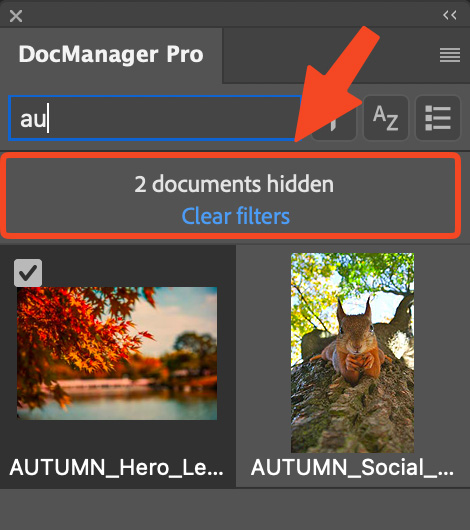
Improved: Notice When Filters Hide Documents
When active filters hide some documents from the list, the panel now shows how many are hidden and gives you a quick way to clear all filters. You always know whether you are looking at the full set of open files or a filtered subset, and you can reset without reopening the filter dialog.
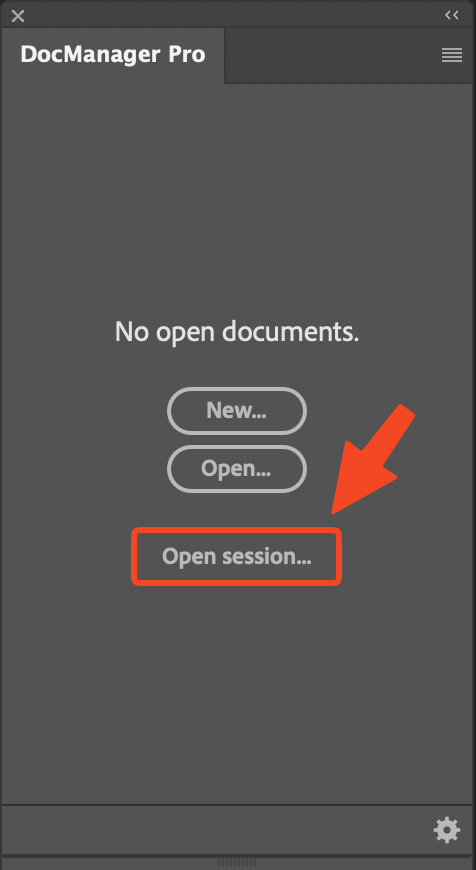
Improved: Session Access When the Panel Is Empty
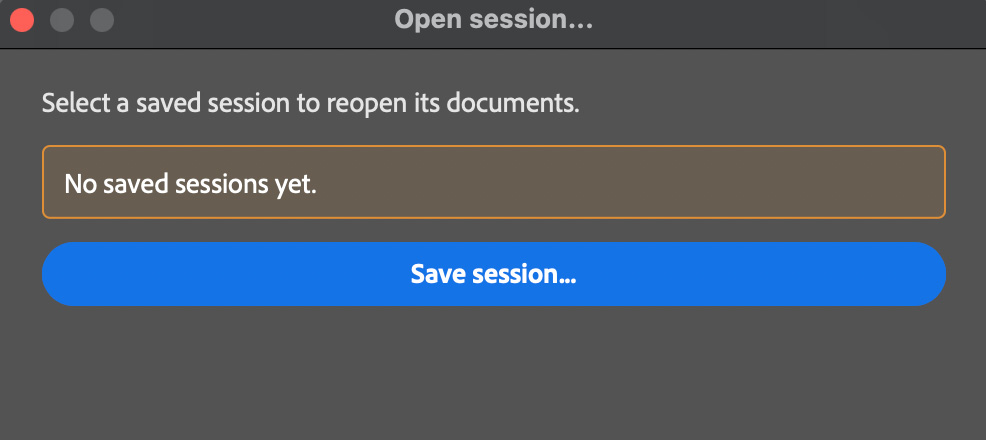
If no documents are open, the panel no longer leaves you with a dead end. An Open session button appears so you can restore a saved set of files right away. In the Open session dialog, a Save session button is also shown when you have no saved sessions yet, making it obvious how to create your first one.
Improved: Cleaner List View While Dragging
In list view, dragging documents or layers over other tiles no longer shows the count badge on the drop target. That reduces visual noise during reorder and duplicate gestures so the list stays easier to read while you move items.
Fixed: Thumbnail Rendering
Documents with unusual or custom color profiles now generate thumbnails correctly instead of showing incorrect colors or failed previews. 32-bit document thumbnails also no longer appear too dark, so high bit-depth files look as expected in the panel.