Unsaved Change Indicators, Saved Status Filters & Session Updates
July 30, 2026
DocManager Pro 1.1.6
Version 1.1.6 is now available with clearer visibility into unsaved work, new filter options for saved status, smarter session management, and quality-of-life improvements to Settings and the update dialog.
New: Highlight Documents with Unsaved Changes
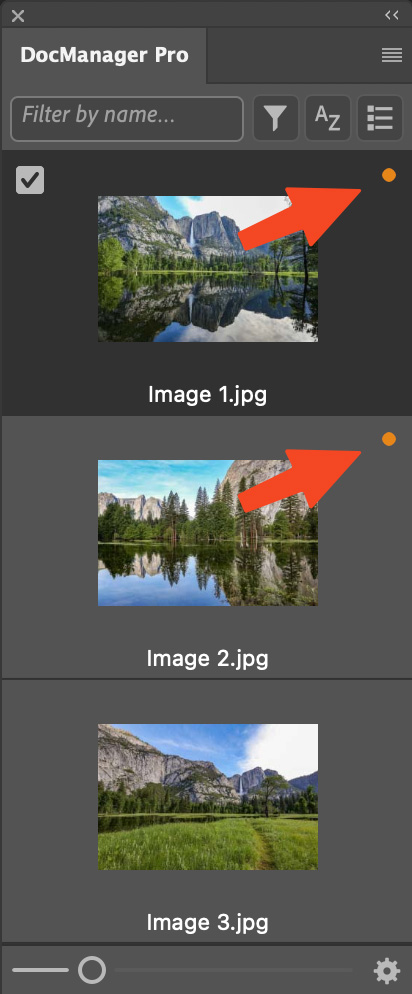
When you have many documents open, it is easy to lose track of which files still have pending edits. DocManager Pro now shows a colored dot on each document tile to mark files with unsaved changes, so you can spot them instantly without switching tabs or checking each file individually.
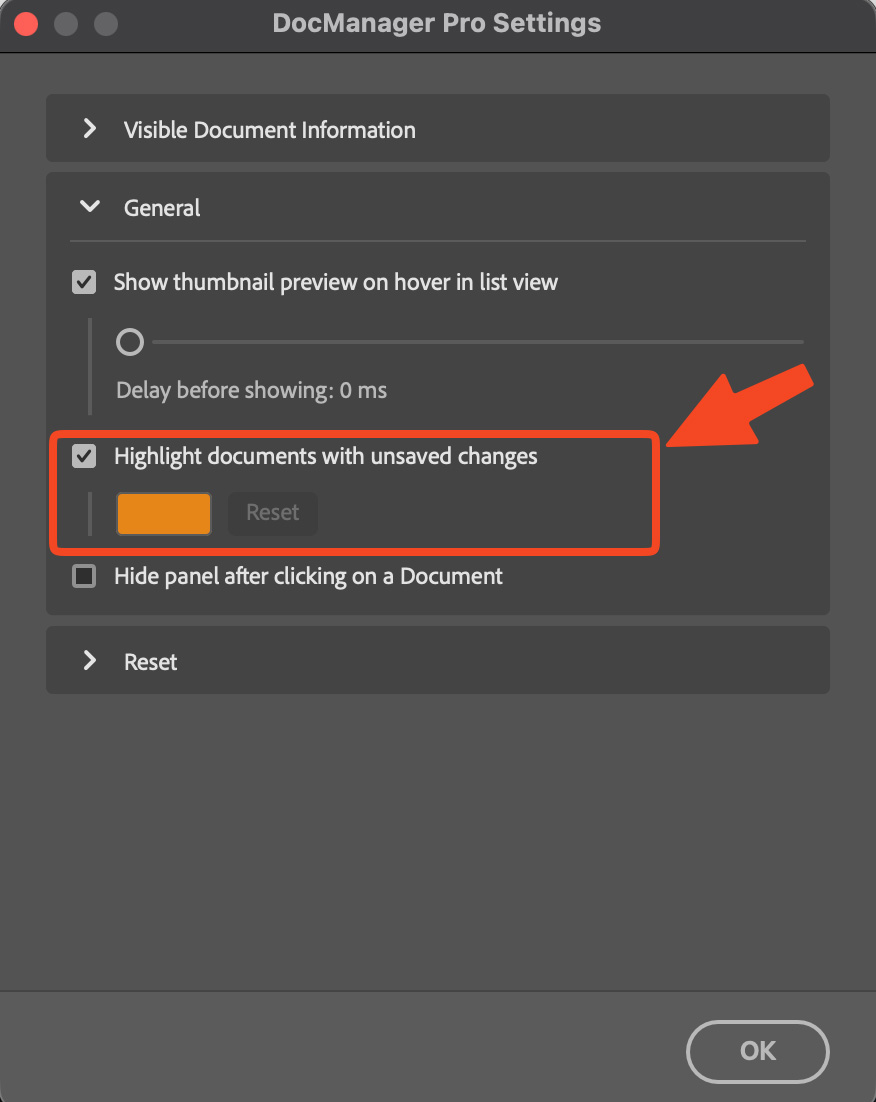
You can enable or disable the indicator and change the dot color in Settings to match your workflow or panel theme.
New: Filter by Saved Status
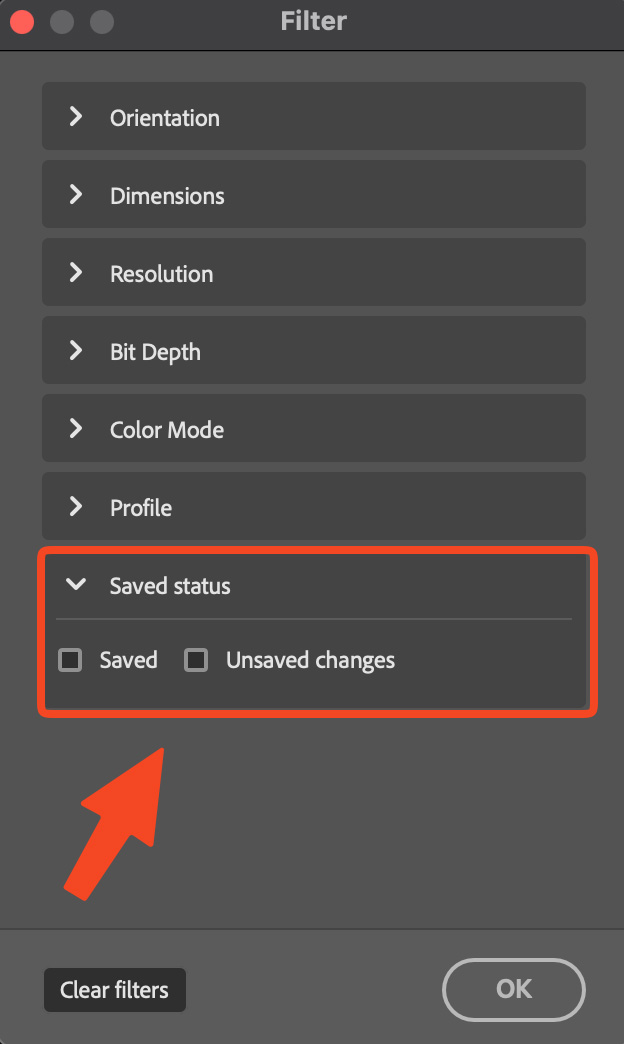
The filter dialog gains a saved status option alongside the existing filters from 1.1.5. Show only saved documents or only documents with unsaved changes to focus on the files that need attention, or quickly verify that everything is saved before closing Photoshop.
New: Update Saved Sessions
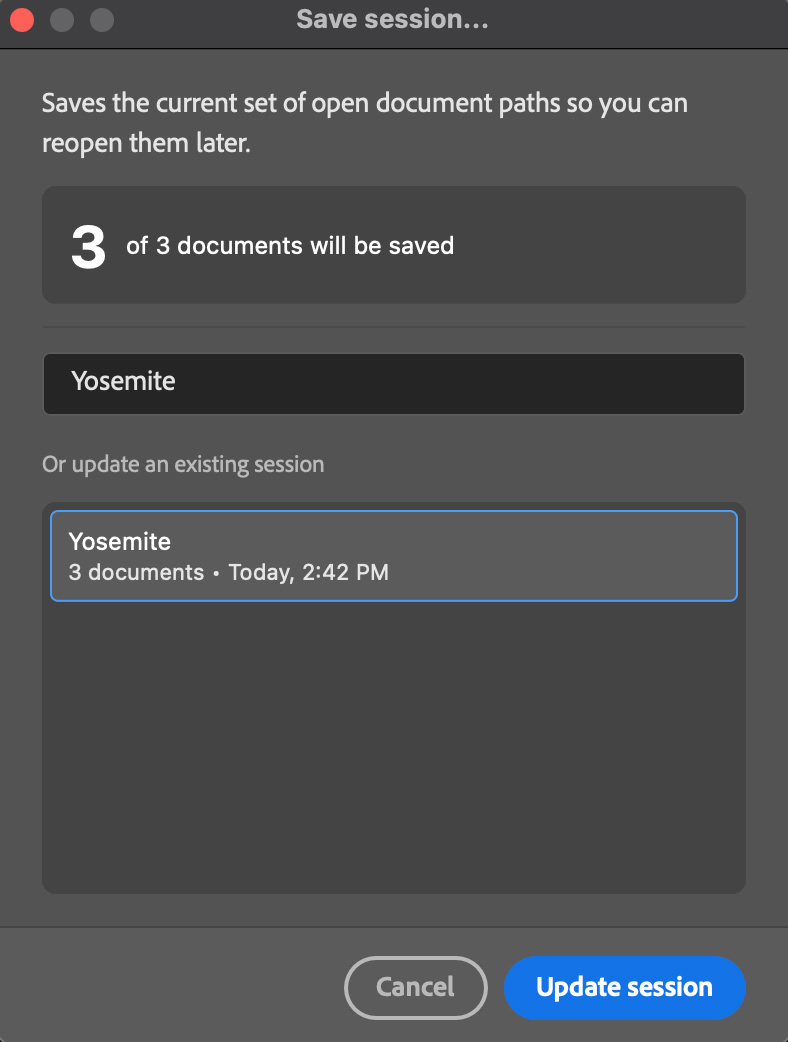
Saving sessions is more flexible. In Save session…, you can now select an existing session from the list or type its name to replace it with the documents currently open. That makes it straightforward to refresh a session after your open set of files has changed, without creating duplicate session names.
Improved: Rename Sessions When Updating
When you update a session, you can rename it on the fly by editing the session name before saving. Useful when a project's scope has shifted and the old session name no longer fits.
Improved: Settings & Update Dialog
Settings now opens with all sections collapsed and remembers the last section you expanded, so the dialog stays tidy on repeat visits. When a new version is available, the changelog is shown directly in the update dialog, so you can read what's new without leaving Photoshop.
Fixed: Color Profile Information
Color profile information no longer causes errors when opening, closing, or switching between documents. Files with specialized or custom profiles should behave reliably throughout your session.