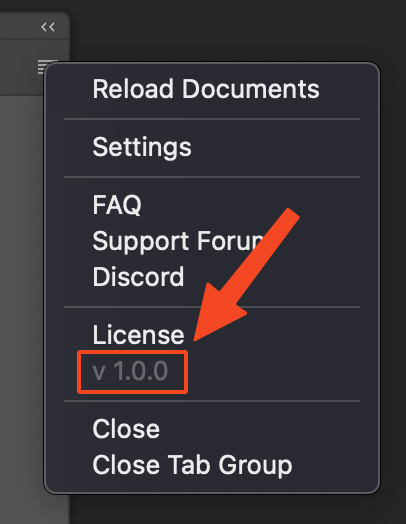
You can check your current version in the panel menu.
DocManager Pro Changelog
1.1.7
September 9, 2026- NewCreate, edit, and delete presets for document filters in the Filter dialog.
- ImprovedThumbnail view now shows document information more compactly. Details share a line instead of each value taking its own row.
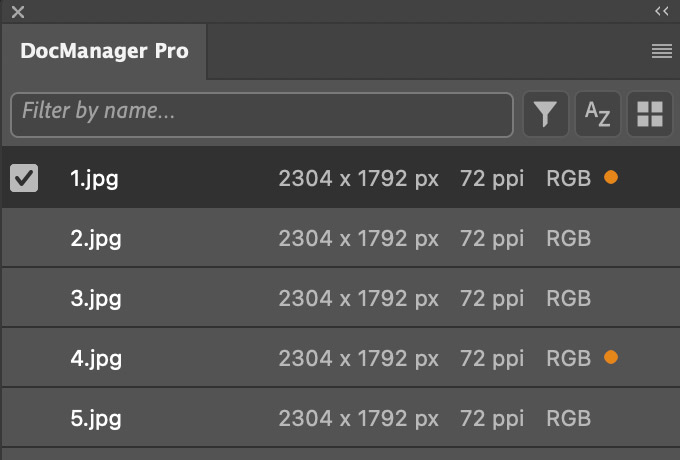
- ImprovedDisplay of document information in list view.
- ImprovedThe settings dialog now remembers which section is expanded.
- ImprovedThe filter dialog now remembers which section is expanded.
- FixedPressing Enter when naming a new preset now creates the preset instead of closing the dialog without saving.
- FixedList view no longer shifts rows when a document is selected or hovered.
- FixedThe unsaved-changes indicator no longer overlaps document information in list view.
- FixedMultiple minor bugs.
1.1.6
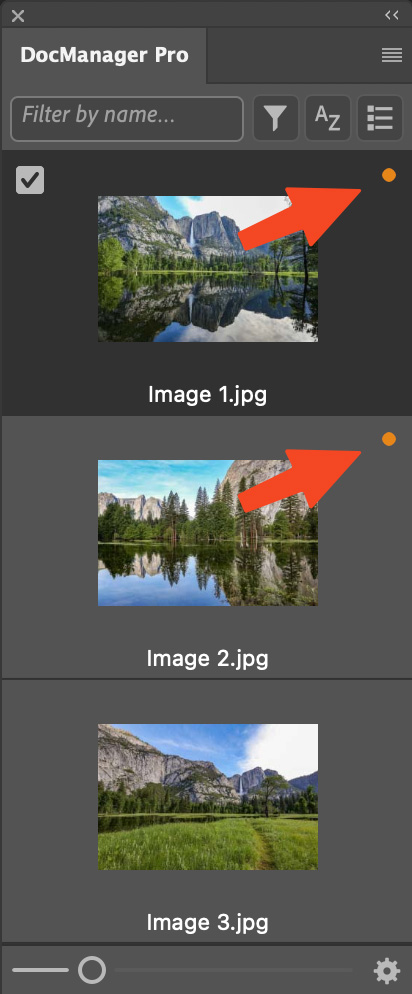
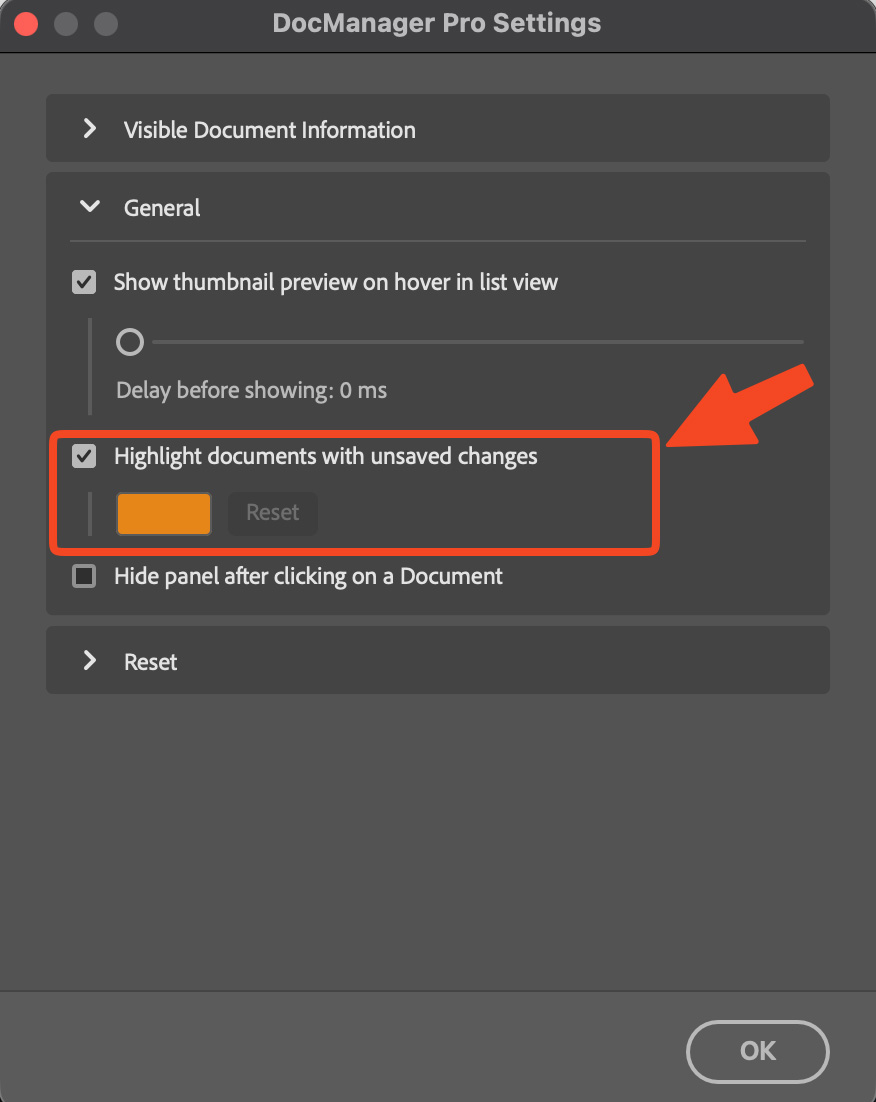
July 30, 2026- NewHighlight documents with unsaved changes – a dot on the tile marks documents with pending changes; enable/disable and change the color of the dot in Settings.
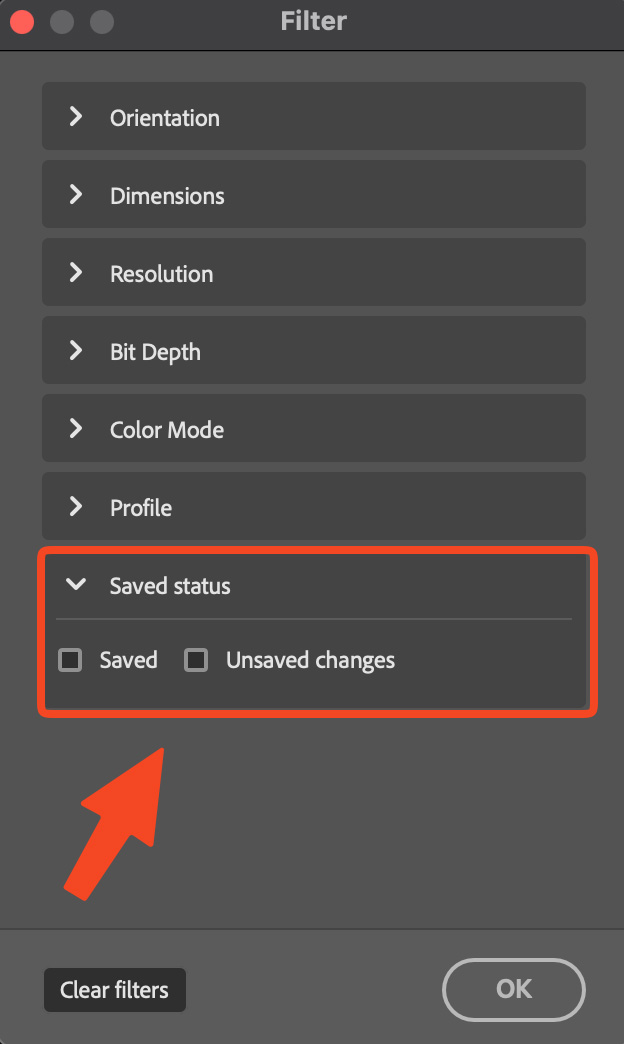
- NewFilter by saved status – in the filter dialog, show only saved documents or documents with unsaved changes.
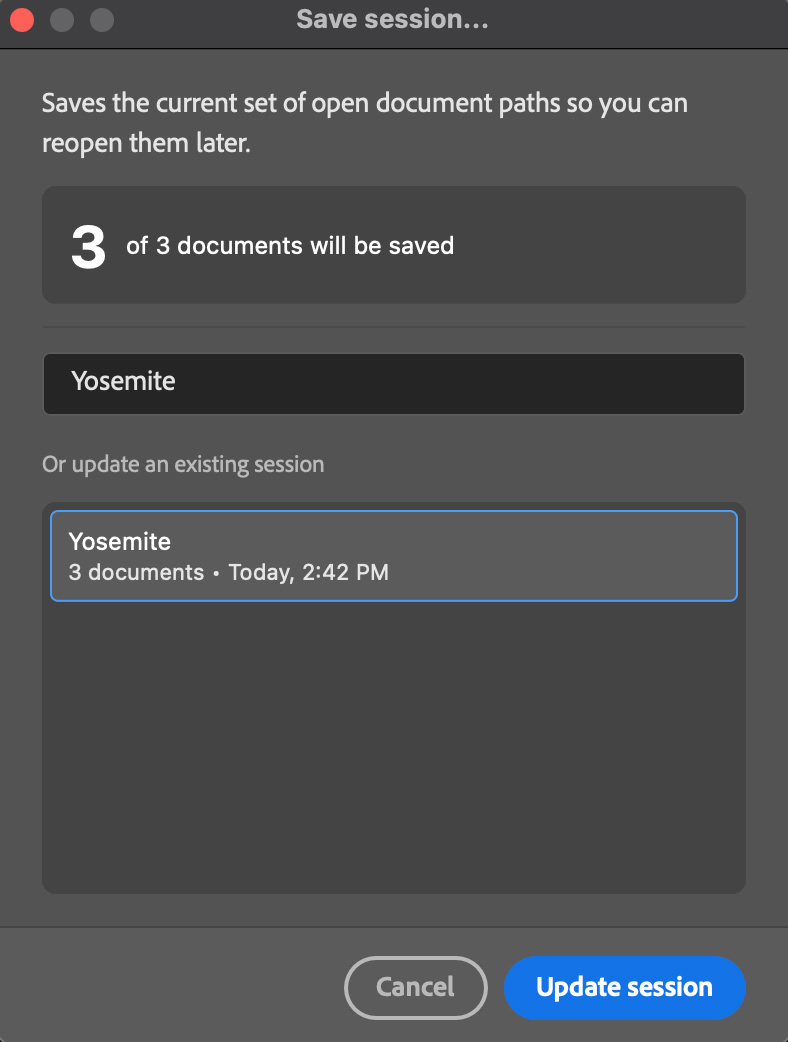
- NewUpdate saved sessions – in Save session…, select an existing session from the list or type its name to replace it with the documents currently open.
- ImprovedSaved sessions can be renamed when updating by editing the session name before saving.
- ImprovedSettings opens with all sections collapsed and remembers the last section you expanded.
- ImprovedThe changelog is now shown directly in the update dialog when a new version is available, so you can read what's new without leaving Photoshop.
- FixedColor profile information no longer causes errors when opening, closing, or switching between documents.
1.1.5
June 10, 2026- NewFilter open documents by orientation, dimensions, resolution, color mode, color profile, and bit depth.
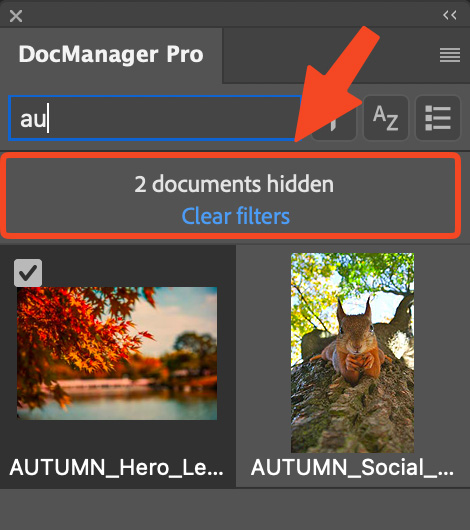
- ImprovedWhen filters hide documents, a notice shows how many are hidden, with an option to clear all filters.
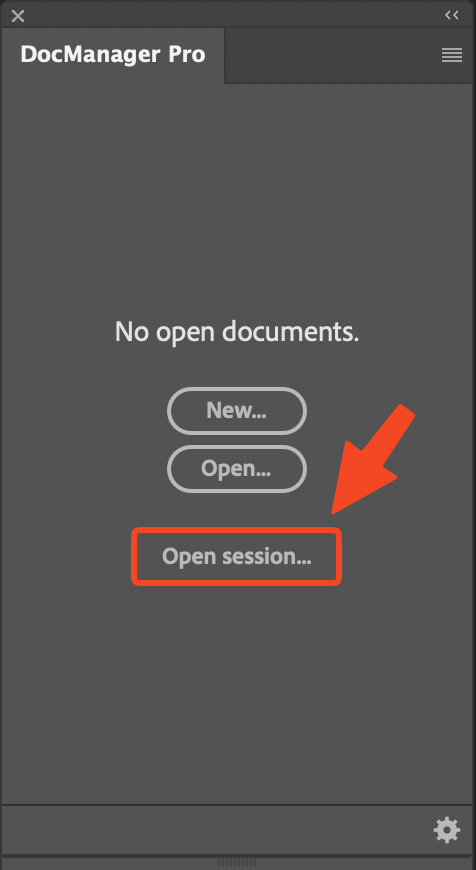
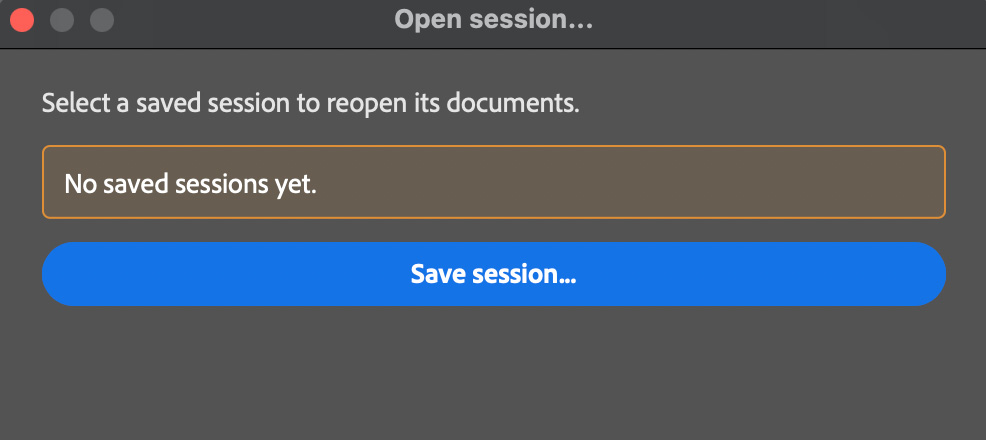
- ImprovedWhen no documents are open, the panel now shows an Open session button.
- ImprovedIn the Open session dialog, a Save session button is now shown when you have no saved sessions yet.
- ImprovedIn list view, dragging documents or layers over other tiles no longer shows the count badge on the drop target.
- FixedDocuments with unusual or custom color profiles now show thumbnails correctly.
- Fixed32-bit document thumbnails no longer appear too dark.
1.1.4
May 14, 2026- FixedSlider adjustments and quick edits no longer trigger error messages (bug introduced in 1.1.3).
- Fixed[Mac] The duplicate-document drop zone now closes correctly after a layer drag from Photoshop's Layers panel.
1.1.3
May 12, 2026- NewFilter open documents by name from the search bar in the panel header.
- NewSessions – save your current set of open documents as a named session and reopen them all at once later.
- ImprovedDuplicate documents or layers by dragging them to the dedicated drop zone at the bottom of the panel instead of the header.
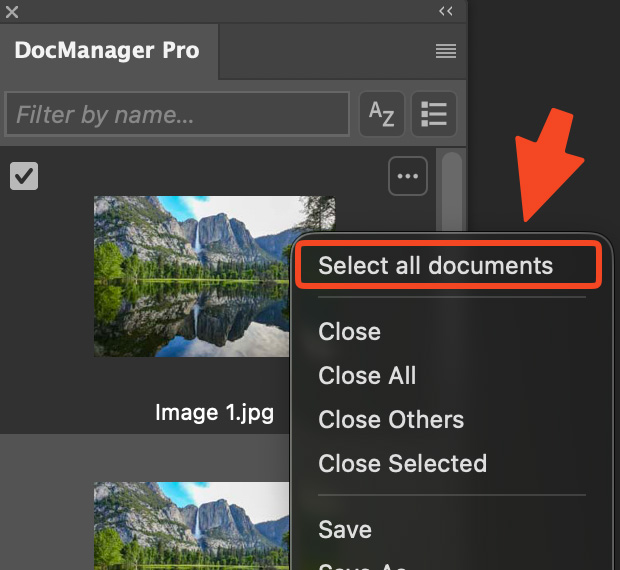
- ImprovedSelect all documents is available from the context menu (first item) instead of the header, so the header stays clearer while filtering and switching views.
- ImprovedDrag preview behavior is smoother and more reliable while moving documents.
- FixedThe drag preview is visible again when you drag documents.
1.1.2
March 18, 2026- NewThumbnail flicker during edits is eliminated.
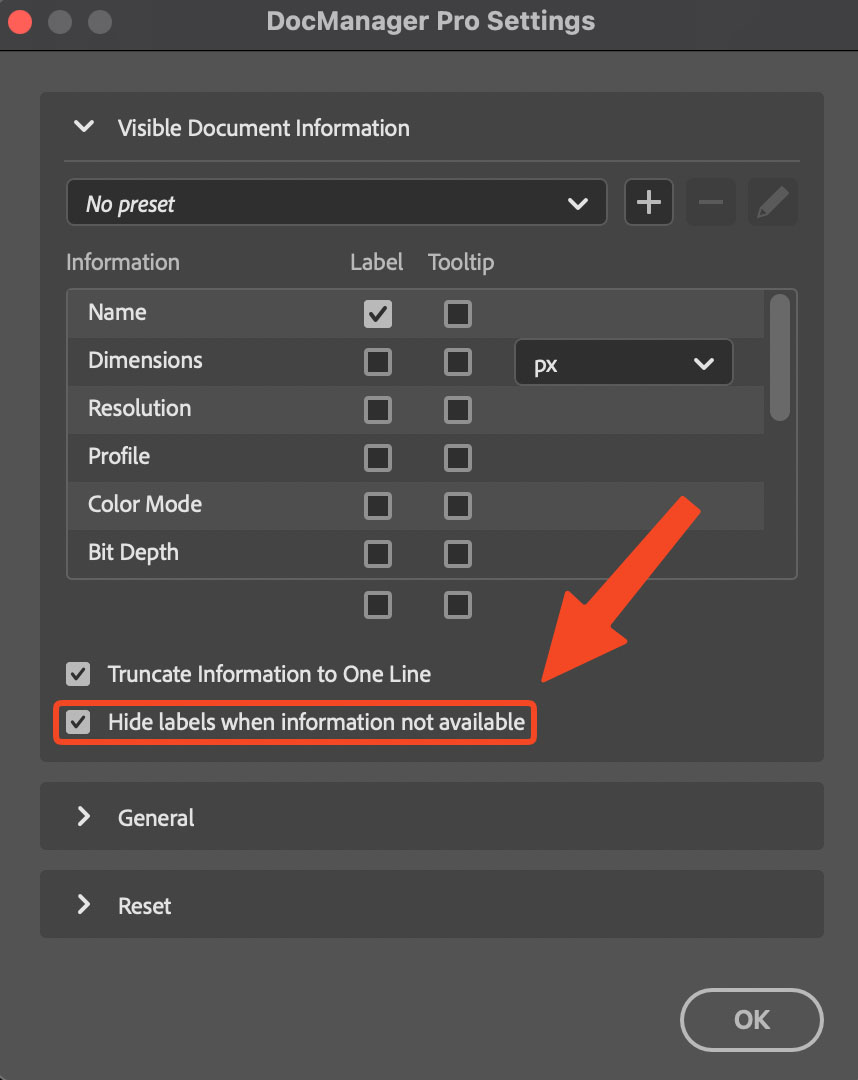
- NewHide labels when information not available – option in Settingsto hide labels (e.g. Camera, Lens) when data is missing instead of showing "... not available".
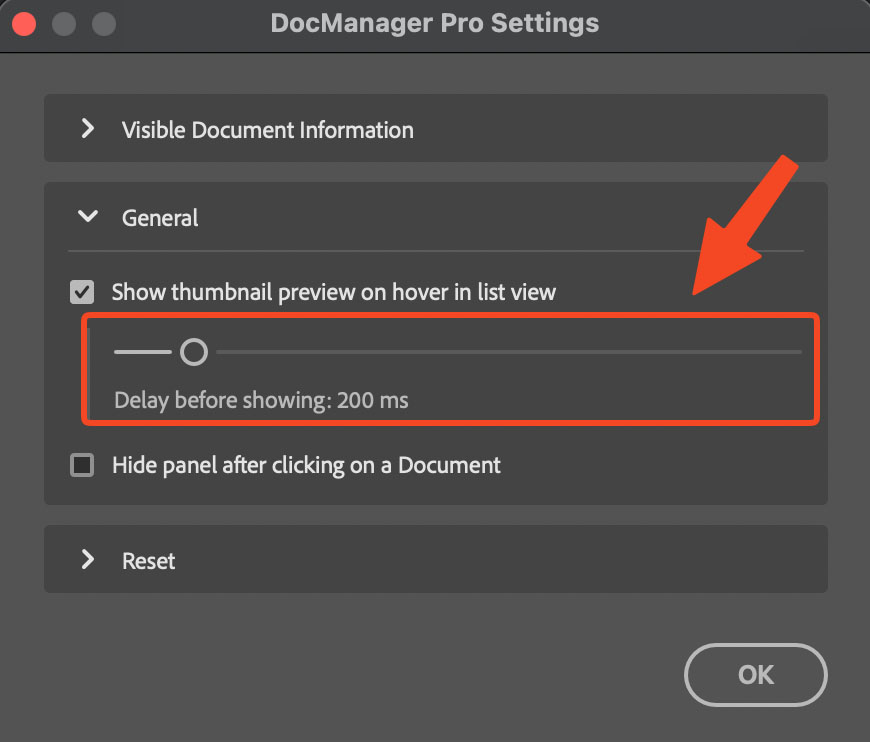
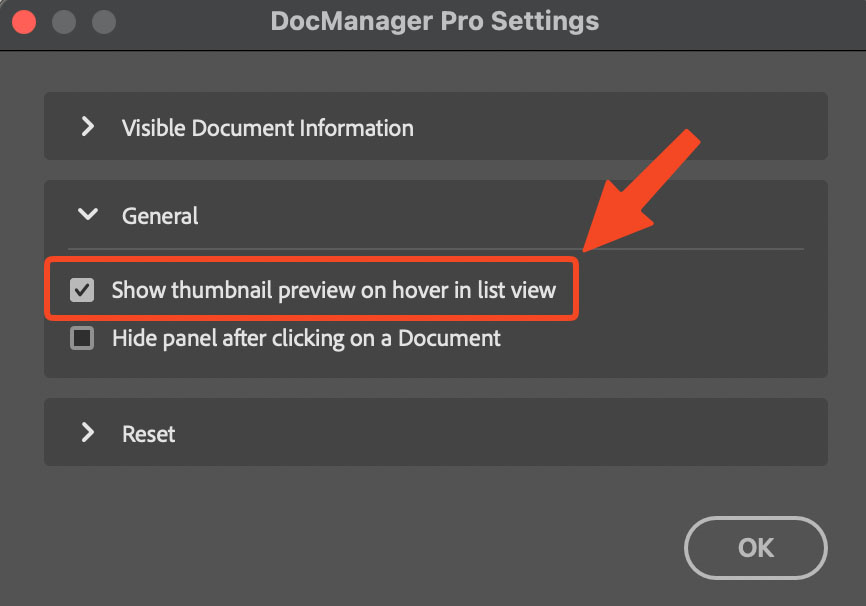
- NewConfigurable delay (0–2000 ms) for the thumbnail preview on hover in list view – available in Settings under General.
- ImprovedTooltip thumbnail in the List View now has a maximum width so wide or landscape documents no longer produce oversized previews.
- ImprovedUpdated and refined translations
- Fixed"No open documents" shown incorrectly when both Lite and Pro were installed (bug introduced in 1.1.1).
1.1.1
March 3, 2026- NewThumbnail preview on hover in List View – instantly see a document preview by hovering over its name. Can be disabled in Settings → General.
- ImprovedSignificantly improved performance when working with many open documents.
- ImprovedThumbnails are now generated only when the panel is open, reducing background resource usage.
1.1.0
February 12, 2026- NewRight-click Play Action – run an action on one document or on all selected documents.
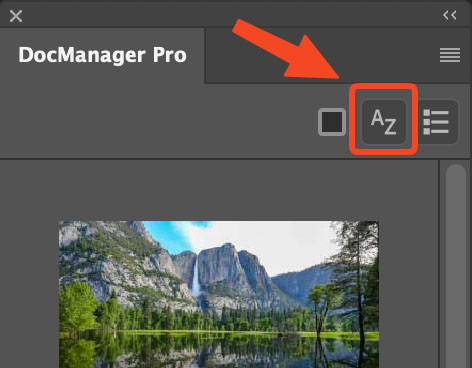
- NewSort documents alphabetically
- NewAdded UI translations for Simplified Chinese, Japanese, Spanish, French, Brazilian Portuguese, Korean, and Italian
- ImprovedNow it automatically scrolls to the active document when closing or switching documents.
1.0.7
October 22, 2025- NewDuplicate a document by dragging to the panel header. Hold Shift to duplicate layers to a new document. On a Mac you can also drag layers from the native layers panel.
- Fixed'Reset all settings' is now working correctly.
- FixedMinor bugs.
1.0.6
August 20, 2025- NewCreate, edit, and delete presets for Document Information.
- ImprovedExpandable and collapsible sections in the settings dialog.
- FixedMinor bugs.
1.0.5
June 26, 2025- NewOption to select/deselect all document information with one click.
- FixedMultiple minor bugs.
1.0.4
April 9, 2025- NewIntroduced new Create Date display settings, allowing to choose from: Full, Date, Month/Year, Year, or Time.
- ImprovedAdded auto-scrolling when dragging a document to the top or bottom edge.
- ImprovedRight-clicking a cloud document now shows an "Open in Web" option.
- FixedSometimes the wrong cursor icon appeared when hovering over the panel.
1.0.3
March 5, 2025- NewAdded option "Reveal in Finder/Explorer" in the context menu.
- ImprovedAll open documents should now be correctly displayed in the panel without manually clicking "Reload Documents" (e.g., images opened from Lightroom will now appear automatically in the plugin).
- ImprovedOnly one decimal place is used when "mm" is selected as the dimension unit.
- FixedSettings are not retained after restarting Photoshop.
1.0.1
February 26, 2025- NewAdded support for selecting dimension units (px, in, cm, mm) in Settings
- ImprovedIncreased maximum size of thumbnails
- FixedDocuments no longer disappear when opening a filter.